In this guide, you will learn how to upgrade your rank to Rank 1.
Customer Ranking helps keep your account and shipments more secure. With Customer Ranking, no one can impersonate your account, and we can stop suspicious activity early before it affects your shipments.
When you sign up on Terminal Africa with a valid email address and phone number, you will be on Rank 0. At Rank 0, you can’t book shipments. You need to upgrade to Rank 1 to be able to fund your wallet and book shipments.
In this guide, you will learn how to upgrade your rank to Rank 1. Each rank has different privileges. You can learn more about what customer ranking is in our blog.
How to Upgrade to Rank 1
Upgrading to Rank 1 requires a valid NIN and a live facial picture of the NIN holder.
Log in to your Terminal Africa account and click on Settings in the main menu.
Go to KYC Ranks and click the View button.
A pop-up menu will open. Click on the NIN option, add your NIN details and click Submit & Continue.
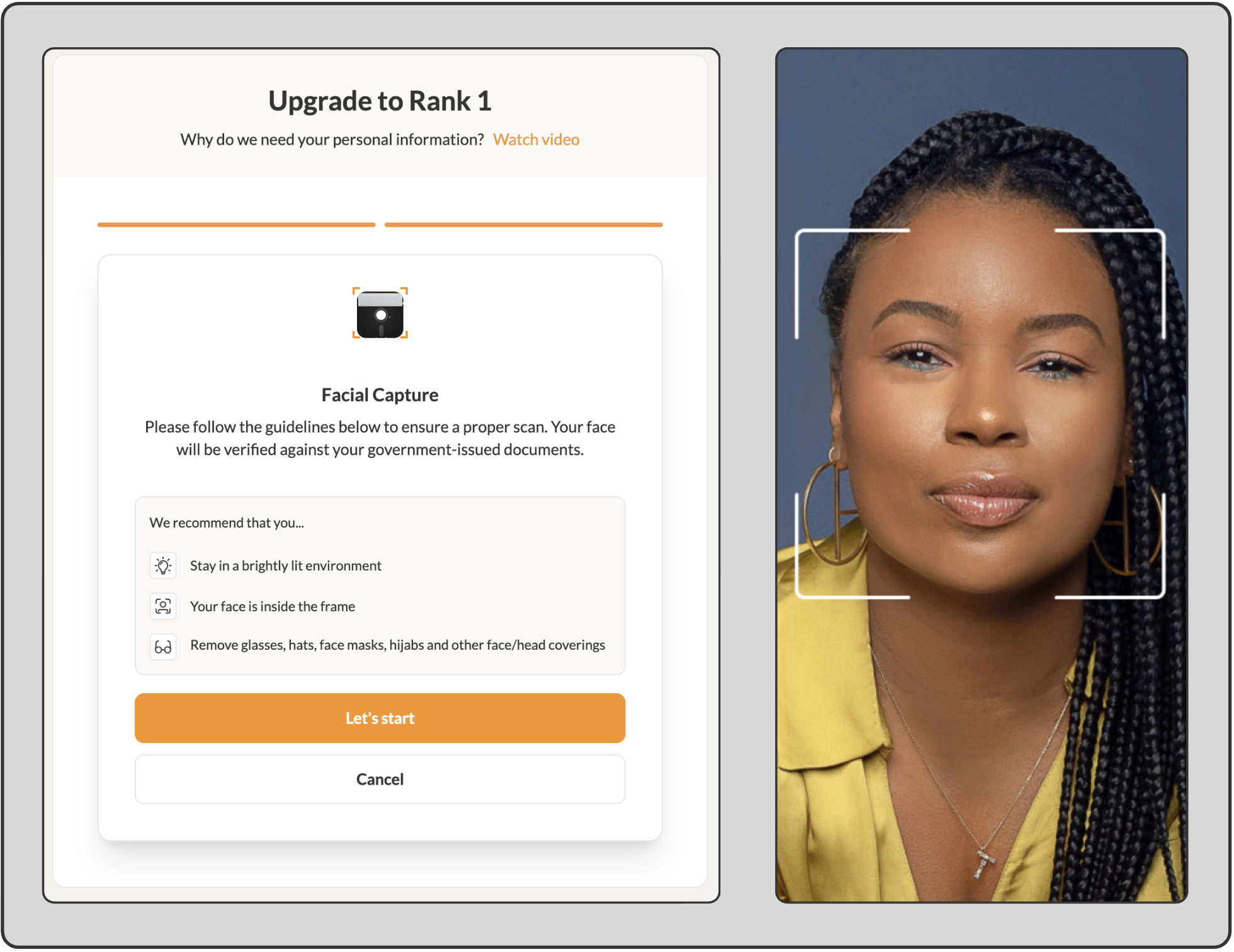
Now, proceed to verify your identity using your camera. Click on the “Let’s start” button. Note: Ensure you stay in a very bright environment and let the light shine on your face. Do not wear glasses, hats, hijabs or face masks.
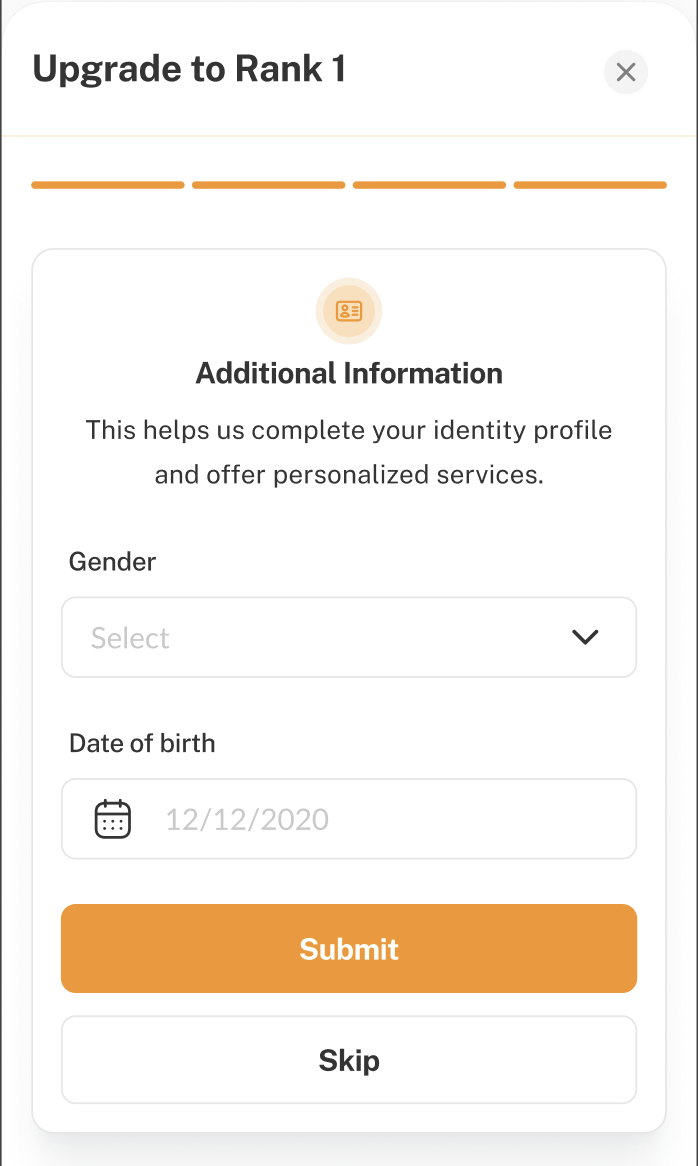
Lastly, please share your gender and date of birth, and then click ‘Submit’. Note: This step is optional.
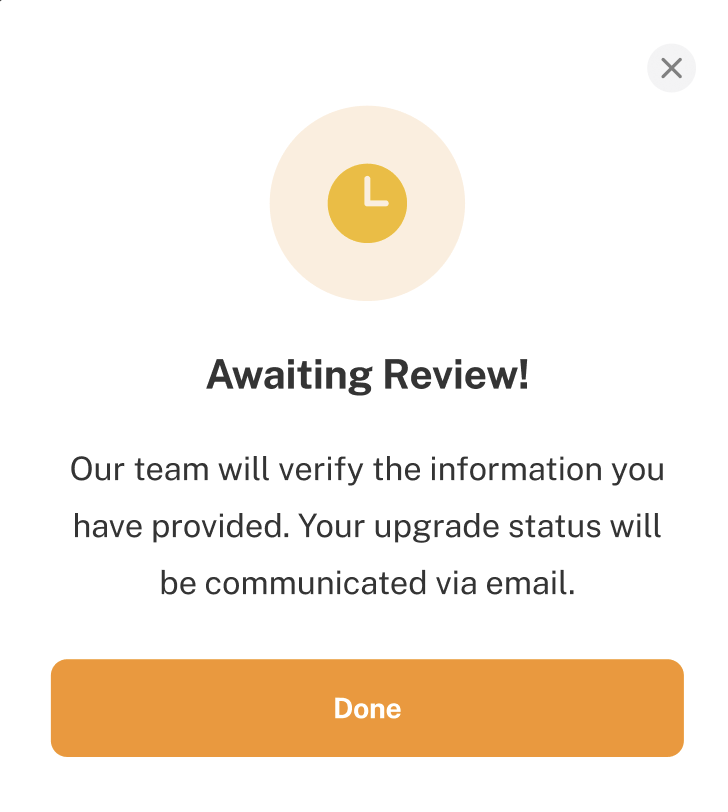
After you submit your details, our team will review them and provide feedback on whether they have been approved or rejected.
In this guide, you will learn how to upgrade your rank to Rank 1. Customer Ranking helps keep your account and shipments more secure. With Customer Ranking, no one can impersonate your account, and we can stop suspicious activity early before it ...
This guide will provide a step-by-step process for completing KYC on Terminal Africa. Completing your KYC (Know Your Customer) verification is crucial if you want to access our platform freely. Without this, you won’t be able to arrange ...
Here's a simple guide to creating a free account with Terminal Africa. Terminal Africa helps people import and export various items within Nigeria and to 150+ countries. Step-by-step on How to Sign up on Terminal Africa (Images Included) Step 1: ...
This guide will teach you how to login to your Terminal Africa account If you have already created an account with Terminal Africa, you can use this guide to learn how to log in and access your account. We help you securely send various items ...
This guide will teach you how to refer a friend to Terminal Africa. If you've been shipping with Terminal Africa for a while, you know we're always dedicated to improving your experience. In light of that, we've introduced a referral program to ...